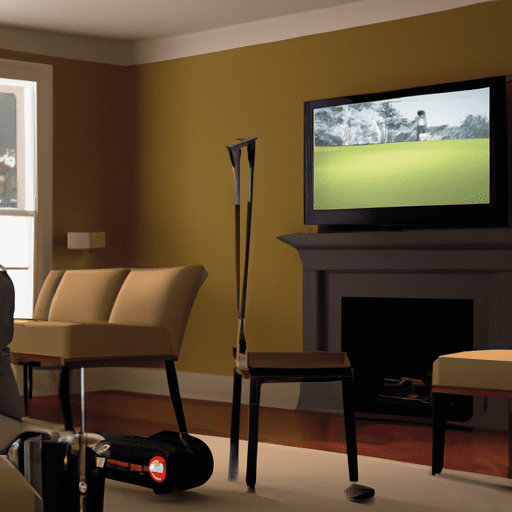
Are you itching to practice your golf skills but the weather outside is less than ideal? Look no further than your very own indoor golf simulator! With the advancement in technology, golf simulators have become incredibly realistic and offer a convenient way to tee off from the comfort of your own home. In this article, we will share valuable tips to help you maximize your experience with your golf simulator and improve your game. From setting up your simulator space to selecting the right equipment, we’ve got you covered. So grab your clubs and get ready to swing away!

Choosing the Right Simulator
Consider Your Budget
When choosing a golf simulator, it’s important to consider your budget. Simulators can range in price from a few hundred dollars to several thousands. Determine how much you are willing to invest in your simulator setup and look for options within your price range.
Evaluate Space Requirements
Before purchasing a simulator, evaluate the space available in your home. Simulators require enough room to swing a golf club comfortably, so ensure that you have enough space to set up the simulator and move around without any obstructions. Measure the dimensions of the intended area to make sure it meets the requirements of the simulator you are considering.
Research Available Options
Take the time to research the available simulators on the market. Look for simulators that offer accurate tracking, realistic graphics, and a wide range of course options. Consider reading reviews and comparing features to find the simulator that best suits your needs and preferences.
Read Reviews and Testimonials
Reading reviews and testimonials from other golfers who have used the simulator you are considering can provide valuable insights. Look for feedback on the simulator’s performance, accuracy, and durability. Hearing from other golfers can help you make an informed decision before making a purchase.
Try Before You Buy
If possible, try out a simulator before making a final decision. Many golf stores and indoor golf facilities have simulators available for demonstration. Test out different models to get a feel for their performance and features. This hands-on experience can help you choose the simulator that feels most comfortable and realistic to you.
Optimizing Your Setup
Selecting the Ideal Room
To optimize your simulator setup, choose a room that provides enough space and privacy. Avoid high-traffic areas or rooms with distractions that may interfere with your focus. A spare room or basement can often be ideal locations for setting up your simulator.
Clearing the Space
Before installing your simulator, clear the space of any furniture, decorations, or other objects that may obstruct your swing or interfere with the tracking system. Ensure that the surrounding area is free from obstacles to create a safe and unobstructed environment for your practice sessions.
Ensuring Proper Lighting
Proper lighting is crucial for accurate tracking and a realistic simulation experience. Ensure that the room where you set up your simulator has adequate lighting. Natural light or overhead lights can help eliminate shadows and ensure that the simulator’s sensors and cameras can track your swing effectively.
Positioning the Simulator
Positioning the simulator correctly is essential for an optimal experience. Follow the manufacturer’s instructions for setting up the simulator, taking care to align the sensors and cameras properly. This will help ensure accurate tracking and realistic simulation during your practice sessions.
Setting Up the Golf Mat
A quality golf mat can enhance the feel and performance of your practice sessions. Choose a durable, thick mat that simulates the texture and feel of a real fairway. Place the mat at the appropriate distance from the simulator screen and align it properly with the simulator’s sensors.
Calibrating Sensors and Cameras
To ensure accurate tracking, take the time to calibrate the sensors and cameras of your simulator. Follow the manufacturer’s instructions for calibration, as this may vary depending on the specific simulator you have chosen. Proper calibration will help ensure that the simulator accurately captures and analyzes your swing data.
Mastering the Basics
Understanding the Simulator Interface
Take the time to familiarize yourself with the simulator’s interface and navigation. Learn how to select courses, adjust settings, and access different features. Understanding the simulator interface will allow you to navigate through the options easily and make the most of your practice sessions.
Practicing Proper Swing Mechanics
Use the simulator to practice and refine your swing mechanics. Take advantage of the instant feedback provided by the simulator’s analysis features to identify and correct any flaws in your swing. Focus on executing solid fundamentals and developing a consistent swing motion.
Getting Familiar with Club Distances
Simulators provide valuable data on club distances, allowing you to become familiar with the distances you can achieve with each club in your bag. Pay attention to the club distances displayed on the screen and adjust your club selection accordingly. This knowledge will help you make informed decisions about shot strategy and club selection on the course.
Learning About Shot Shaping
Simulators offer the opportunity to practice shot shaping, a skill that can be challenging to develop on the actual course. Experiment with fade and draw shots by adjusting your clubface angle and swing path. Through trial and error, you can gain a better understanding of how to shape your shots to navigate around hazards and set up scoring opportunities.
Adjusting for Wind and Terrain Factors
Simulators often include features that allow you to adjust for wind speed and direction, as well as the slope and undulations of different terrains. Take advantage of these features to learn how wind and terrain can affect the flight and roll of your shots. By practicing under varying conditions, you can develop the skill of adjusting your shots to account for these factors.
Utilizing Simulation Features
Exploring Different Course Options
One of the main advantages of a simulator is the ability to play on a wide variety of golf courses from around the world. Take the time to explore different course options available on your simulator. Play famous championship courses, links courses, and even fictional courses. This variety can keep your practice sessions engaging and provide a unique golfing experience.
Playing Practice Rounds
Simulators offer the flexibility to play practice rounds at any time of the day, regardless of weather conditions. Use this opportunity to simulate playing a full round of golf, focusing on different aspects of your game. Practice your pre-shot routine, course management skills, and decision-making under pressure.
Competing in Virtual Tournaments
Many simulators offer the option to participate in virtual tournaments against other golfers from around the world. Take advantage of these opportunities to test your skills and compete in a competitive setting. Virtual tournaments can provide a fun and challenging experience that can motivate you to continue improving your game.
Analyzing Swing Data
Simulators provide detailed swing data, including clubhead speed, ball speed, launch angle, and more. Use this data to analyze and track your progress over time. Identify areas for improvement and set specific goals to work on during your practice sessions. The ability to track and analyze your swing data can be a valuable tool in improving your overall performance.
Experimenting with Different Clubs
Simulators offer the flexibility to experiment with different clubs and club combinations. Take advantage of this opportunity to try out new clubs and determine which ones work best for you. Test different brands, models, and shaft types to find the perfect set of clubs that will maximize your performance on the course.
Customizing Weather Conditions
Simulators often allow you to customize weather conditions, including wind speed and direction, rain, and even fog. Use these features to practice playing under different weather scenarios and learn how to adapt your game accordingly. This ability to simulate different weather conditions can help prepare you for real-life golfing situations and improve your decision-making skills.
Improving Your Game
Working on Swing Mechanics
Consistently practicing and refining your swing mechanics is key to improving your game. Use the simulator’s analysis features to identify any swing flaws and focus on correcting them. Practice drills and exercises specifically designed to address your swing issues and develop a more efficient and consistent motion.
Developing Consistency
Consistency is a crucial aspect of golf. Use the simulator to work on developing a consistent swing tempo, contact point, and overall ball flight. Rely on the simulator’s instant feedback to fine-tune your swing and achieve a more consistent performance on the course.
Practicing Different Shot Types
Simulators offer the opportunity to practice a wide range of shot types, including chips, pitches, bunker shots, and even putting. Take advantage of this versatility to improve your skills in different areas of the game. Target specific shot types that need improvement and dedicate time to practice and refine them.
Increasing Shot Accuracy
Accuracy is essential in golf. Use the simulator’s visual feedback and shot analysis features to improve your shot accuracy. Focus on hitting specific targets on the course and work on consistently delivering accurate shots. The ability to measure and track shot accuracy on the simulator can help you identify and address any inconsistencies in your game.
Enhancing Course Management Skills
Simulators offer the opportunity to improve your course management skills. Use the simulation features to analyze and strategize for different course layouts and hole designs. Focus on making smart decisions based on your strengths and weaknesses. Develop a course management plan that maximizes your scoring opportunities and minimizes risks.
Seeking Professional Guidance
Consulting with Golf Instructors
If you want to take your game to the next level, consider consulting with a golf instructor who specializes in simulator training. A professional instructor can help you analyze your swing, provide personalized feedback, and offer guidance on how to improve specific aspects of your game. Their expertise can accelerate your progress and help you achieve your goals.
Taking Lessons Online
In addition to in-person lessons, many golf instructors offer online lessons specifically tailored for simulator training. These virtual lessons allow you to receive guidance and instruction from the comfort of your own home. Utilize this option to receive professional feedback and guidance to improve your skills.
Using Swing Analysis Apps
There are several swing analysis apps available that can be used in conjunction with your simulator. These apps use the camera on your smartphone or tablet to capture your swing and provide instant analysis and feedback. Explore different apps and find one that integrates well with your simulator to enhance your practice sessions.
Receiving Feedback and Guidance
Engage with the simulator community or join online forums where you can share your experiences and seek advice from fellow simulator users. This feedback and guidance can help you troubleshoot any issues, discover new techniques, and find ways to optimize your practice sessions. The collective knowledge and experience of the community can be a valuable resource for your improvement.
Benefiting from Expert Advice
Stay informed about the latest developments in the world of golf simulators by following industry experts and reputable sources. Subscribe to golf publications, watch instructional videos, and attend webinars or seminars led by professionals. Gaining insights from experts in the field can provide valuable tips, guidance, and inspiration to improve your skills.
Staying Motivated
Setting Goals and Challenges
Setting goals and challenges is essential to stay motivated and focused while using your simulator. Whether it’s improving your swing speed, lowering your handicap, or mastering a particular shot type, having clear objectives can provide a sense of purpose and progression. Break down your goals into smaller milestones and celebrate your achievements along the way.
Recording Performance Metrics
Keep track of your performance metrics during your simulator sessions. Monitor your progress over time by tracking metrics such as swing speed, ball speed, accuracy, and handicap. Recording and analyzing these metrics can help you identify trends, strengths, and weaknesses. This data-driven approach can keep you motivated and provide insights into areas that need improvement.
Joining Virtual Golf Communities
Engage with virtual golf communities to connect with other golfers who share a similar passion for simulators. These communities often offer forums, social networks, and online events where you can interact with fellow golfers, share experiences, and exchange tips and advice. Being part of a supportive community can keep you motivated and provide a sense of camaraderie.
Participating in Online Tournaments
Many virtual golf communities and simulator providers organize online tournaments that allow you to compete against other golfers from around the world. Participating in these tournaments can provide a fun and competitive environment that pushes you to improve your skills. The thrill of competition and the opportunity to showcase your abilities can be highly motivating.
Creating Friendly Competitions
Organize friendly competitions with family, friends, or fellow simulator users. Use the simulator’s multiplayer features to create tournaments, match play, or fun challenges. Friendly competitions can add an element of excitement and camaraderie to your practice sessions, helping you stay engaged and motivated to improve your game.
Considering Physical Fitness
Maintaining Overall Fitness
Physical fitness plays a crucial role in golf. Engage in regular exercise and maintain overall fitness to enhance your performance on the simulator and on the actual course. Incorporate cardiovascular exercises, strength training, and flexibility exercises into your fitness routine. Improving your overall fitness can lead to increased power, endurance, and flexibility in your golf swing.
Improving Golf-Specific Conditioning
In addition to general fitness, work on improving golf-specific conditioning. Focus on exercises that target the muscles used in the golf swing, such as the core, hips, and shoulders. Incorporate rotational exercises, balance exercises, and stability exercises to strengthen these areas and improve your overall golf performance.
Incorporating Strength and Flexibility Training
Strength and flexibility are key components of a successful golf swing. Incorporate strength training exercises that target the muscles involved in the golf swing, such as the glutes, hamstrings, and abdominal muscles. In addition, perform flexibility exercises to enhance your range of motion and prevent any restrictions that may affect your swing mechanics.
Preventing Injuries
Preventing injuries is crucial for maintaining a consistent and enjoyable golf practice. Warm up properly before each session to prepare your muscles and joints for the physical demands of swinging a golf club. Stretching exercises can help increase your flexibility and reduce the risk of strains or muscle imbalances. Additionally, listen to your body and take breaks when necessary to avoid overexertion.
Adopting a Proper Warm-up Routine
Developing a warm-up routine specific to your needs can help prepare your body for the demands of a simulator practice session. Begin with light cardiovascular activity to raise your heart rate and warm up your muscles. Dynamic stretches that mimic the movements of the golf swing can help increase your range of motion and improve your overall flexibility.
Troubleshooting Common Issues
Dealing with Calibration Problems
If you encounter calibration problems with your simulator, consult the manufacturer’s troubleshooting guide or contact their customer support for assistance. Recalibrating the sensors and cameras based on the manufacturer’s recommendations may be necessary. Ensure that all connections are secure and that there are no obstructions that may interfere with the tracking system.
Addressing Connectivity and Software Issues
If you experience connectivity or software issues with your simulator, check your internet connection and ensure that your software is up to date. Consult the manufacturer’s troubleshooting guide for specific steps to resolve any connectivity or software-related problems. If the issues persist, contact the manufacturer’s customer support for further assistance.
Rectifying Inconsistent Tracking
Inconsistent tracking can be frustrating when using a simulator. Ensure that the sensors and cameras are positioned correctly and that there are no obstructions that could interfere with tracking. Clean the sensors and cameras regularly to remove any dirt or smudges that could affect accuracy. If the problem persists, consult the manufacturer’s troubleshooting guide or contact their customer support for assistance.
Adjusting for Height and Stance Differences
Different users may have varying heights and stances, which can affect the simulator’s tracking accuracy. Consult the manufacturer’s instructions for adjusting the simulator’s settings based on your height and stance. Properly configuring the simulator for your individual measurements can help ensure accurate tracking and an optimal simulation experience.
Solving Interface or User Errors
If you encounter interface or user errors while using your simulator, consult the user manual or online resources provided by the manufacturer. Check for updates to the software or firmware and make sure you are familiar with the simulator’s features and settings. If you are still unable to resolve the errors, contact the manufacturer’s customer support for assistance.
Enhancing the Simulator Experience
Investing in Additional Accessories
Consider investing in additional accessories to enhance your simulator experience. This may include a projector for larger and more immersive visuals, high-quality speakers for realistic sound effects, or a simulator enclosure for added realism and privacy. Explore the options available and choose accessories that align with your preferences and budget.
Using Surround Sound and Visual Effects
To create a more immersive experience, use surround sound and visual effects. High-quality speakers can reproduce the sound of a golf course, from the ambient noise to the swish of the club through the air. Consider adding visual effects such as virtual spectators, changing weather conditions, or dynamic lighting to add another layer of realism to your simulator sessions.
Creating a Comfortable Viewing Area
Ensure that you have a comfortable viewing area in your simulator setup. Invest in a high-resolution display or projector to provide clear visuals. Set up comfortable seating or arrange your simulator setup to allow for a relaxed and enjoyable experience during your practice sessions.
Adding Realistic Course Scenery
Many simulators offer the option to add realistic course scenery to further enhance your experience. This feature can transport you to famous golf courses around the world, complete with detailed visuals and accurate representations of each hole. Take advantage of this feature to immerse yourself in a realistic golfing environment.
Exploring Virtual Reality Integration
Virtual reality (VR) integration can take your simulator experience to the next level. VR allows you to fully immerse yourself in a virtual golf course, providing a realistic and engaging experience. Explore the possibility of integrating VR technology into your simulator setup to enhance your practice sessions and make them even more enjoyable.
In conclusion, choosing the right golf simulator and optimizing your setup can greatly enhance your indoor practice sessions. By mastering the basics, utilizing simulation features, seeking professional guidance, and staying motivated, you can continue to improve your game and enjoy the benefits that a golf simulator has to offer. Incorporating physical fitness, troubleshooting common issues, and enhancing the overall simulator experience can further enhance your indoor golfing experience. So, tee off indoors and make the most out of your simulator!