If you’ve ever wondered what a golf simulator is and how it actually works, then you’ve come to the right place. In this article, we will unravel the mystery behind this innovative technology that has revolutionized the game of golf. From virtual courses to accurate swing analysis, a golf simulator provides golf enthusiasts with the opportunity to play and improve their game all year round, regardless of weather conditions. Let’s explore the inner workings of a golf simulator and discover how it can enhance your golfing experience.

What is a golf simulator?
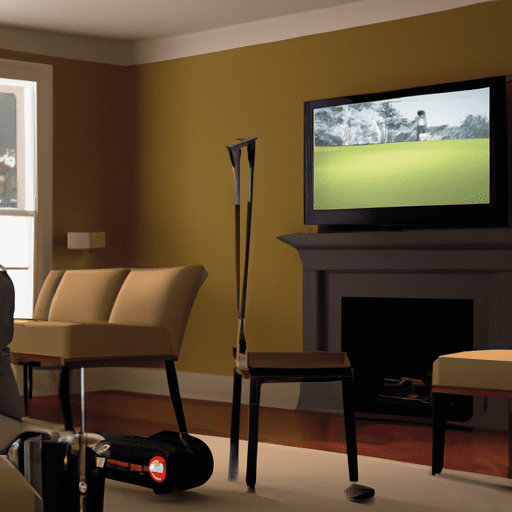
A golf simulator is a virtual reality system that allows you to play and practice golf in the comfort of your own home. It recreates the experience of playing on a real golf course by combining computer software, projection technology, and golf equipment. With a golf simulator, you can improve your swing, accuracy, and overall game without having to leave your house.
The Components of a Golf Simulator
Projector
The projector is an essential component of a golf simulator. It is responsible for displaying the virtual golf course on a large screen or hitting surface. The quality of the projector plays a significant role in the visual experience and realism of the simulator.
Screen
The screen is where the virtual golf course is projected. It can be a large dedicated screen or a hitting surface that can be mounted on a wall. The screen should be durable and capable of displaying high-resolution graphics to ensure a realistic golfing experience.
Golf Tracking System
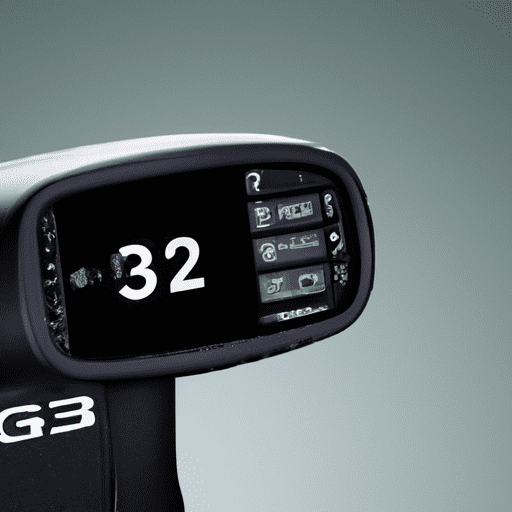
The golf tracking system is what makes the golf simulator work by analyzing your golf swing and ball flight. It uses high-speed cameras or sensors to capture the club and ball’s movement and provides accurate data on various aspects of your swing, such as clubhead speed, launch angle, ball speed, and spin rate.
Computer or Simulator Software
A powerful computer or specialized simulator software is needed to process the data from the golf tracking system and generate the virtual golf course. The software also provides various game modes, course selections, and customization options to enhance the user experience.
Golf Clubs and Balls
To play on a golf simulator, you will need a set of golf clubs and golf balls. Using your own clubs and balls allows you to replicate the feel and weight of the equipment you are familiar with. It is important to use realistic golf balls designed specifically for simulators to ensure accurate data tracking.
Enclosure
An enclosure is an optional component of a golf simulator but highly recommended to create a dedicated golfing space and protect your surroundings. It can consist of netting, curtains, or a fully enclosed structure to prevent errant shots from damaging your property and to provide a more immersive experience.
How Does a Golf Simulator Work?
A golf simulator works by combining advanced technology to recreate the experience of playing golf indoors. The golf tracking system captures your swing and ball flight data, which is then processed by the computer or simulator software. The software generates a realistic virtual golf course that is displayed on the screen or hitting surface using a projector.
When you swing the club and hit the ball, the golf tracking system tracks the club’s movement and impact with the ball. It measures various parameters such as clubhead speed, swing path, face angle, and ball trajectory. This data is instantly processed, and the simulator software calculates the virtual ball’s flight path and landing position on the virtual golf course.
The golf simulator also takes into account environmental factors such as wind speed and direction, slope of the terrain, and even weather conditions to provide a more realistic experience. This allows you to practice and play golf in various scenarios, just like you would on a real golf course.
Step-by-Step Guide to Using a Golf Simulator
Step 1: Set up the Simulator
Start by setting up the golf simulator in a dedicated space in your home. Install the projector, screen, and golf tracking system according to the manufacturer’s instructions. Make sure the surrounding area is clear of any fragile objects or obstacles that could be damaged by an errant shot.
Step 2: Choose a Golf Course
Once the simulator is set up, you can choose from a wide range of virtual golf courses to play on. The simulator software will provide a catalog of courses, including famous locations and challenging designs. Select the course that you want to play and prepare to tee off.
Step 3: Select Mode of Play
Most golf simulators offer various game modes to cater to different skill levels and preferences. You can choose to play a full 18-hole round, practice on the driving range, or participate in skill-building exercises such as chipping and putting challenges. Select the mode that suits your needs and skill level.
Step 4: Adjust Settings
Before starting your round, you can adjust the settings of the simulator to customize the experience. You can set the difficulty level of the course, the speed of the greens, and even the weather conditions. Fine-tune these settings to create a golfing environment that challenges and helps you improve your game.
Step 5: Swing the Club and Hit the Ball
Now it’s time to swing the club and hit the ball. Position yourself on the hitting surface and assume your normal stance. Take a practice swing to warm up, then take a shot at the virtual ball displayed on the screen. The golf tracking system will track your swing and ball flight data and provide instant feedback.
Step 6: Analyze Shots and Performance
After each shot, the simulator software will provide detailed data about your swing and ball flight. You can analyze your clubhead speed, launch angle, ball speed, and other relevant parameters to understand your strengths and areas for improvement. This feedback helps you refine your technique and achieve better results with each swing.

Benefits of Using a Golf Simulator
Convenience and Accessibility
One of the biggest advantages of using a golf simulator is the convenience and accessibility it offers. You can practice or play golf whenever you want, regardless of the weather or time of day. No more waiting for tee times or driving to the golf course. A golf simulator allows you to fit golfing into your schedule without any limitations.
Year-Round Practice
With a golf simulator, you can practice your golf game year-round, even during the off-season or in inclement weather. This constant practice ensures that your skills remain sharp, and you can pick up where you left off when the golfing season begins. It’s a great way to maintain your game and avoid any rustiness.
Game Improvement
Using a golf simulator provides an excellent opportunity for game improvement. The instant feedback and detailed data analysis allow you to identify and correct any flaws in your swing. With regular practice and analysis, you can make targeted improvements and become a better golfer over time. It’s like having a personal golf coach at your disposal.
Data and Performance Analysis
A golf simulator offers comprehensive data and performance analysis. You can track your progress over time, compare different swings, and measure your improvement. This data-driven approach helps you set goals, track your performance, and measure your success. It adds a whole new level of depth and objectivity to your golf practice.
Limitations and Considerations
Space Requirements
One of the limitations of a golf simulator is the space required to set it up properly. You need enough room for swings and ball flight without any restrictions. Ideally, the space should be at least 10 feet wide, 15 feet long, and have a ceiling height of 9 feet or more. It’s essential to ensure that you have adequate space before investing in a golf simulator.
Cost
Golf simulators can be a significant investment, and the cost can vary depending on the quality and features you desire. Consider your budget and research different options to find a simulator that suits your needs and budget. While the initial cost may seem high, keep in mind the long-term savings on golf course fees and travel expenses.
Realism
While golf simulators have come a long way in replicating the actual golfing experience, they may not provide the same level of realism as playing on a real golf course. Factors such as terrain changes, wind gusts, and varying grass conditions may not be accurately simulated. However, the technology is constantly evolving, and many simulators offer a remarkably realistic experience.
Environmental Factors
Although you can play golf in any weather conditions with a simulator, certain environmental factors may still affect your experience. For example, a brightly-lit room or direct sunlight can wash out the projection on the screen. Similarly, windy conditions or air conditioning drafts may slightly alter the ball’s flight path. It’s important to consider these factors and make necessary adjustments for optimal performance.
Types of Golf Simulators
Indoor Golf Simulators
Indoor golf simulators are the most common type and are designed to be used in the comfort of your home or a dedicated indoor space. They offer the convenience of playing and practicing golf year-round, regardless of weather conditions. Indoor simulators typically provide a realistic golfing experience and a wide selection of virtual courses.
Outdoor Golf Simulators
Outdoor golf simulators are designed for use in outdoor spaces such as backyards or commercial golf facilities. These simulators are usually more portable and can withstand outdoor conditions. They provide a unique golfing experience in a natural environment and are well-suited for those who prefer playing outdoors.
Mobile Golf Simulators
Mobile golf simulators are compact and easily transportable, allowing you to set up a golfing experience anywhere you go. These simulators are popular for events, parties, and corporate gatherings where people can enjoy playing golf without the need for a permanent setup. Mobile simulators offer flexibility and entertainment for golf enthusiasts on the move.
Professional Golf Simulators
Professional golf simulators are high-end systems used by golf clubs, training facilities, and professional golfers. These simulators offer advanced features, cutting-edge technology, and accurate data analysis. Professional simulators can simulate various tournament conditions and provide an unmatched training experience for serious golfers.
Common Features and Technologies
Ball and Club Tracking
Ball and club tracking is a fundamental feature of any golf simulator. It involves capturing data on the club’s movement during the swing and the ball’s flight path after impact. Advanced simulators use high-speed cameras or infrared sensors to achieve precise and accurate tracking, resulting in detailed swing analysis.
Multiplayer and Online Connectivity
Many golf simulators offer multiplayer modes and online connectivity options, allowing you to compete against friends or other players around the world. This adds an element of competition and social interaction to the golfing experience, even when playing on a simulator. You can challenge your friends, join online tournaments, or participate in virtual golf leagues.
Virtual Reality Integration
Virtual reality (VR) integration in golf simulators provides an immersive and lifelike experience. Using VR goggles or headsets, you can step into a virtual golf course and feel like you are actually there. Virtual reality technology enhances the visualization and realism of a golf simulator, making it even more enjoyable and engaging.
Choosing the Right Golf Simulator for You
Budget
When choosing a golf simulator, consider your budget and invest in a system that offers good value for money. Determine how much you are willing to spend and research different options within your budget range. Remember to consider long-term costs such as software updates and additional accessories for a complete setup.
Available Space
Evaluate the available space in your home or desired location for setting up the simulator. A dedicated space with ample room for swinging and ball flight is crucial for a satisfying experience. Measure the dimensions and ensure that the simulator can be comfortably accommodated without any major restrictions or compromises.
Accuracy and Precision
The accuracy and precision of a golf simulator are vital for reliable data tracking and a realistic golfing experience. Research the technology and tracking capabilities of different simulators to ensure they meet your expectations. Look for simulators with high-resolution cameras or advanced sensor systems for precise measurements.
Extra Features
Consider the additional features and customization options offered by different simulators. Some simulators provide integrated video analysis, training exercises, or customized club fitting. These features can enhance your practice sessions and provide valuable insights into your swing mechanics. Evaluate which extra features are important to you and choose a simulator that meets your specific requirements.
Conclusion
A golf simulator is a fantastic tool for golf enthusiasts to improve their game, practice year-round, and indulge in their favorite sport from the comfort of their own homes. By combining advanced technology, realistic graphics, and accurate swing analysis, golf simulators provide an immersive and valuable experience. With the ability to play on virtual golf courses, track your performance, and compete with friends, a golf simulator offers an enjoyable and convenient alternative to traditional golfing. Whether you are a beginner looking to learn the ins and outs of the game or a seasoned golfer wanting to refine your skills, investing in a golf simulator can take your game to the next level. So why not tee off and experience the joy of golfing indoors with a golf simulator? You’ll improve your swing, enjoy endless rounds of golf, and have fun along the way.