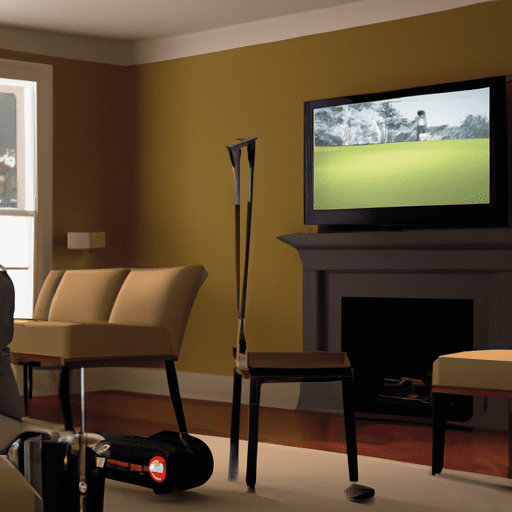
If you’re in the market for a golf simulator but aren’t quite sure what features to prioritize, look no further. In this article, we will explore the key features you should consider when choosing a golf simulator. Whether you’re a golf enthusiast looking to improve your swing or a beginner wanting to practice in the comfort of your own home, understanding these features will help you make an informed decision and find the perfect simulator for your needs. So let’s dive in and explore what features to look for when choosing a golf simulator!
Screen and Image Quality
Size of the screen
When choosing a golf simulator, one of the first things to consider is the size of the screen. A larger screen will provide a more immersive experience, allowing you to feel like you’re really on the course. It’s important to choose a screen size that fits well in your designated space and provides a clear view of the graphics and course layout.
Resolution and image clarity
The resolution and image clarity of the screen are crucial for a realistic golfing experience. A high-resolution screen will ensure that you can see all the details of the course and the surroundings, from the texture of the grass to the contours of the fairways. Look for a simulator with a screen that offers crisp and vibrant graphics, so you can truly feel like you’re playing on a real golf course.
Simulated course graphics
The quality of the simulated course graphics is another important factor to consider. A good golf simulator should have a wide selection of realistic and visually stunning courses to choose from. Whether you prefer playing on famous championship courses or exotic locations, having a variety of courses to select from will keep your golfing experience fresh and exciting.
Accuracy and Measurement
Tracking system
To get an accurate representation of your golf shots, the simulator’s tracking system plays a crucial role. Look for a simulator that uses advanced tracking technology, such as high-speed cameras or infrared sensors, to track the movement of the ball and the club. This will ensure accurate swing analysis and shot measurement.
Ball flight data
The simulator should be able to provide comprehensive ball flight data, including launch angle, ball speed, spin rate, and distance. Accurate ball flight data will help you understand your swing mechanics and make adjustments to improve your game. Look for a simulator that provides real-time feedback on your shots, so you can instantly see how changes in your swing affect the ball’s flight.
Club tracking
In addition to tracking the ball, a good simulator should also track your club movements. This will allow you to analyze your swing path and clubface angle, providing valuable insights into your swing mechanics. Look for a simulator that accurately tracks both the ball and the club, so you can get a complete picture of your swing.
Customization and Adjustability
Software options and updates
Having software options and regular updates is important to keep your golf simulator up to date and functioning at its best. Look for a simulator that offers frequent software updates, ensuring that you always have access to the latest features and improvements. Additionally, having customizable software settings will allow you to personalize your golfing experience to suit your preferences.
Course library and customization
A wide range of virtual golf courses to choose from is a desirable feature in a golf simulator. Look for a simulator that offers a diverse course library, including famous real-world courses and unique fantasy courses. Additionally, the ability to create custom courses or modify existing ones can add a personalized touch to your gameplay experience.
Simulation settings
Every golfer has their own preferences when it comes to gameplay. Look for a golf simulator that allows you to adjust various simulation settings, such as wind strength, course conditions, and difficulty level. Being able to tailor the settings to match your skill level and desired challenge will enhance your overall gaming experience.
Golf Club and Ball Compatibility
Compatibility with different club types
A good golf simulator should be compatible with a wide range of golf clubs. Whether you prefer using a driver, iron, or putter, the simulator should accurately track and replicate the performance of each club. Look for a simulator that can accommodate different club types and allows you to switch between clubs seamlessly.
Compatibility with different ball types
Similarly, the golf simulator should be compatible with different types of golf balls. Some golfers may prefer using more traditional balls, while others may opt for high-performance or specialty balls. Look for a simulator that allows you to select different ball types, ensuring that your shots accurately represent the characteristics of each ball.
Realism and Feedback
Physics and ball response
Realism is key when it comes to golf simulators. The simulator should accurately simulate the physics of a golf ball in flight, taking into account factors such as spin, trajectory, and roll. Look for a simulator that provides realistic ball response, allowing you to experience the same challenges and rewards as you would on a real golf course.
Sound effects and feedback
Sound effects and feedback are essential for an immersive golfing experience. The simulator should provide realistic sound effects, such as the sound of a club striking the ball or the sound of the ball dropping into the cup. Additionally, the simulator should provide clear and informative feedback on each shot, helping you understand your performance and make improvements.
Wind and weather conditions
The ability to simulate different wind and weather conditions adds an extra layer of realism to a golf simulator. Look for a simulator that allows you to adjust the wind speed and direction, as well as the weather conditions, such as rain or sunshine. This will not only make the gameplay more challenging, but it will also help you prepare for various weather scenarios on a real golf course.
Training and Practice Features
Swing analysis
One of the main advantages of a golf simulator is the ability to analyze and improve your swing. Look for a simulator that offers detailed swing analysis, including metrics such as swing path, clubface angle, and tempo. The simulator should provide visual representations of your swing, allowing you to identify areas for improvement and track your progress over time.
Shot shaping and shot trajectory
Being able to shape your shots and control the trajectory of the ball is a valuable skill in golf. Look for a simulator that allows you to practice shot shaping, such as fades and draws, and control the height and distance of your shots. This will help you develop a versatile game and improve your ability to adapt to different course conditions.
Practice modes and drills
A good golf simulator should offer a variety of practice modes and drills to help you refine your skills. Look for a simulator that provides options for target practice, chipping and putting drills, and simulated on-course practice rounds. Additionally, having the ability to create custom practice sessions will allow you to focus on specific aspects of your game that require improvement.
Multiplayer and Competition Options
Online connectivity
If you enjoy playing with others, look for a golf simulator that offers online connectivity. This will allow you to compete against friends or other golfers from around the world, providing a fun and social experience. Online connectivity also enables you to participate in virtual tournaments and challenges, adding an element of competition to your gameplay.
Multiplayer modes
In addition to online multiplayer, a good golf simulator should also offer local multiplayer options. Look for a simulator that allows you to play with friends or family members in the same physical location, either by taking turns or playing simultaneously. Multiplayer modes can make the gaming experience more interactive and enjoyable, fostering friendly competition and camaraderie.
Tournaments and challenges
Participating in virtual tournaments and challenges can add excitement and motivation to your golf simulator experience. Look for a simulator that offers a variety of tournaments and challenges to test your skills against other players. Whether it’s a virtual major championship or a weekly challenge with specific objectives, having these competitive options will keep you engaged and striving to improve.
Space Requirements and Installation
Room size and ceiling height
Before purchasing a golf simulator, it’s important to consider the space requirements and installation process. Golf simulators typically require a dedicated space with enough room to swing a club comfortably. Ensure that you have sufficient ceiling height to accommodate your swing and the required projection distance for the simulator. Measure your space carefully and consult the manufacturer’s guidelines to determine if your space is suitable for installation.
Assembly and installation
The assembly and installation process of a golf simulator can vary depending on the model and manufacturer. Look for a simulator that provides clear instructions and user-friendly assembly. Some simulators may require professional installation, while others can be set up by the user. Consider your comfort level with assembling and installing equipment when choosing a golf simulator.
Portability and storage
If you have limited space or the need for portability, consider a golf simulator that is easy to transport and store. Some simulators are designed to be collapsible or disassembled, allowing for convenient storage when not in use. Additionally, a portable simulator may be a desirable feature if you want the flexibility to set up your simulator in different locations, such as indoors during the winter or outdoors on a sunny day.
Price and Budget Considerations
Cost of the simulator
The cost of a golf simulator can vary greatly depending on the features, brand, and quality. Consider your budget and determine how much you are willing to invest in a simulator. While a higher-priced simulator may offer more advanced features, it’s important to find a balance between your budget and the features that are most important to you. Research different options and compare prices to find a simulator that fits within your price range.
Additional equipment and accessories
In addition to the simulator itself, there may be additional equipment and accessories to consider when budgeting for a golf simulator. This can include things like hitting mats, projector screens, golf nets, and ball trays. Determine what equipment you will need to create a complete setup and factor in the cost of these additional items when assessing the overall price of the simulator.
Maintenance and support costs
It’s important to consider the long-term costs associated with owning a golf simulator. Some simulators may require regular maintenance or software updates, which could incur additional costs. Additionally, consider the availability of customer support and warranty options when choosing a simulator. Research the manufacturer’s reputation for customer service and inquire about any additional costs or fees associated with maintenance or technical support.
User Interface and Ease of Use
Menu navigation
The user interface of a golf simulator should be intuitive and easy to navigate. Look for a simulator that has a user-friendly menu system, allowing you to quickly access the different features and options. A well-designed menu navigation system will enhance your overall user experience and make it easier to customize settings, select courses, and track your progress.
User-friendly interface
In addition to menu navigation, the overall interface of the golf simulator should be user-friendly. Look for a simulator that has clear and easy-to-understand graphics and icons. The interface should be responsive and seamlessly transition between different screens and menus. An intuitive and user-friendly interface will ensure that you can focus on enjoying the game without any unnecessary frustrations.
Integrated help and support
Having access to integrated help and support features can be beneficial, especially if you’re new to golf simulators. Look for a simulator that provides built-in help guides, tutorials, or tooltips to assist you with understanding the different features and functionalities. Additionally, having access to online support forums or customer service representatives can ensure that any questions or issues you encounter can be addressed promptly.
In conclusion, when choosing a golf simulator, there are several important features to consider. Screen and image quality, accuracy and measurement, customization and adjustability, golf club and ball compatibility, realism and feedback, training and practice features, multiplayer and competition options, space requirements and installation, price and budget considerations, and user interface and ease of use all play a role in determining the overall quality and enjoyment of your golfing experience. By carefully evaluating each feature and considering your individual preferences and needs, you’ll be able to find a golf simulator that provides a realistic and immersive experience, helping you improve your game and have fun in the comfort of your own space.