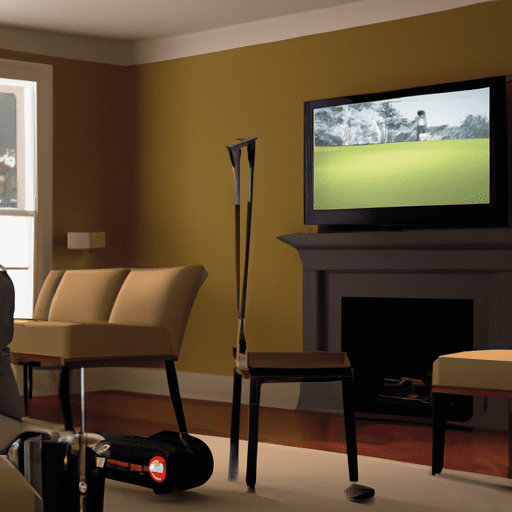
Discover the world of home golf simulators and bring the fairways into the comfort of your living room. Experience the thrill of golf without stepping foot on a course as you perfect your swing in a virtual environment. This article will explore the benefits and features of home golf simulators, including realistic graphics, club and ball tracking technology, and customizable gameplay options. Whether you are a beginner looking to learn the basics or an experienced golfer seeking to improve your skills, home golf simulators offer a convenient and immersive way to enjoy the game. So, get ready to tee off and swing for the virtual greens in the comfort of your own home.
Benefits of Home Golf Simulators
Golf enthusiasts and novices alike can greatly benefit from incorporating a home golf simulator into their practice routine. These state-of-the-art devices offer a range of advantages that can enhance your golf skills, provide convenience and accessibility, weatherproof your practice sessions, save you money in the long run, and even provide entertainment for the whole family.
Improve Your Golf Skills
One of the primary benefits of having a home golf simulator is the ability to improve your golf skills conveniently and effectively. With a simulator, you can practice anytime, regardless of external factors such as weather or daylight. You can work on your swing mechanics, analyze your shots through advanced tracking technology, and receive immediate feedback that helps you identify areas for improvement. The ability to repeatedly practice different shots and scenarios allows you to refine your technique and develop consistency in your game.
Convenience and Accessibility
A home golf simulator brings the convenience of playing golf right in the comfort of your own home. You no longer have to schedule tee times, travel to the golf course, or deal with overcrowded practice facilities. With a simulator, you can simply walk into your dedicated golf space and start playing. This accessibility allows you to fit practice sessions into your busy schedule without any hassle, ultimately saving you time and effort.
Weatherproofing
Whether it’s raining, snowing, or scorching hot outside, a home golf simulator eliminates weather-related limitations. You can enjoy a game of golf year-round, regardless of the season or weather conditions. This weatherproofing not only ensures that you can practice whenever you want, but it also reduces the risk of injuries that may occur in unfavorable weather conditions. You can focus on perfecting your swing without worrying about external factors that may interfere with your practice.
Cost-effective
While initially, the cost of setting up a home golf simulator may seem high, it can actually save you money in the long run. Instead of spending money on driving range fees or golf course memberships, a home simulator allows you to practice as much as you want without incurring any additional costs. Additionally, you can save on travel expenses to and from the golf course. Over time, these savings can add up significantly, making a home golf simulator a cost-effective investment for avid golfers.
Entertainment for the Whole Family
Beyond personal practice and improvement, home golf simulators offer entertainment options for the entire family. Whether you’re hosting a friendly competition with friends, enjoying a game with your children, or simply providing a fun activity for family gatherings, a home golf simulator brings people together and provides hours of entertainment. Simulators often feature multiplayer and mini-games, allowing everyone to participate and experience the joy of playing golf in a virtual setting.
Components of a Home Golf Simulator
To create a comprehensive home golf simulator setup, several key components are necessary. These components work together to provide an immersive and realistic golfing experience within the comfort of your own home.
Launch Monitor
The launch monitor is the heart of a home golf simulator setup. It utilizes advanced technology to track essential parameters of your golf swing, such as ball speed, launch angle, shot direction, spin rates, and more. This data is then used to simulate the flight and behavior of the golf ball in the virtual environment. High-quality launch monitors ensure accurate feedback and realistic gameplay.
Golf Hitting Mat
A golf hitting mat is an essential component of a home golf simulator as it provides a realistic surface for hitting shots. The mat is designed to mimic the feel and texture of a natural fairway, allowing you to practice your swing without causing damage to your flooring or clubheads. A durable and high-quality hitting mat also ensures consistent ball contact and reduces the risk of injury during practice.
Golf Simulator Screen
The golf simulator screen is where the virtual golf course is projected, creating an immersive visual experience. Screens come in various sizes and materials, and their selection depends on factors such as available space and desired image quality. High-quality screens offer vibrant colors, sharp images, and seamless integration with the rest of the simulator components, enhancing the realism and enjoyment of the virtual golfing experience.
Golf Simulator Projector
The golf simulator projector plays a crucial role in delivering the virtual golf course onto the screen. It is responsible for rendering high-definition images with accurate colors and contrast, creating a lifelike representation of the golf course. The projector’s brightness, resolution, and throw ratio determine the image quality and size, making it an important consideration when setting up your home golf simulator.

Golf Simulator Software
The golf simulator software acts as the interface between the player and the virtual golf course. It includes a vast library of golf courses from around the world, offering players the opportunity to play on their favorite courses or experience new ones. The software also provides various game modes, practice programs, and shot analysis tools, allowing you to customize your practice sessions and track your progress. Choosing software with intuitive user interfaces and regular updates ensures an enjoyable and up-to-date gaming experience.
Choosing the Right Home Golf Simulator
When selecting a home golf simulator, several factors should be considered to ensure an optimal setup that meets your specific needs and preferences.
Consider Your Space
Before investing in a home golf simulator, it is important to evaluate the available space in your home. Consider the room dimensions, height clearance, and any potential obstructions that may affect the setup. Ensure that you have enough space to swing a golf club comfortably and that the simulator components can be installed without causing any damage to the surroundings.
Understanding Launch Monitors
Launch monitors come in different types, each offering varying levels of accuracy and features. Research and understand the different models available in the market to determine which launch monitor best suits your needs. Consider factors such as data accuracy, tracking capabilities, compatibility with other simulator components, and overall reliability.
Quality of Hitting Mat
Investing in a durable and high-quality hitting mat is essential for a realistic and enjoyable home golf simulator experience. Look for hitting mats that offer sufficient thickness, shock absorption, and realistic turf texture. Consider factors such as durability, ease of maintenance, and portability when selecting a hitting mat that can withstand regular use and provide a consistent hitting surface.
Optimal Projector and Screen Selection
When choosing the projector and screen for your home golf simulator, consider factors such as image quality, throw distance, and screen size. Determine the size and layout of your dedicated golf space to select a projector and screen that fit well and deliver a vibrant and immersive visual experience. Pay attention to brightness, resolution, and contrast ratios to ensure crisp and realistic visuals.
Software Features and Compatibility
Home golf simulator software plays a crucial role in providing a realistic and enjoyable gameplay experience. Evaluate the features offered by different software options, such as the variety of golf courses, practice programs, shot analysis tools, and multiplayer capabilities. Additionally, ensure that the chosen software is compatible with the launch monitor, projector, and other simulator components you have selected to avoid any compatibility issues.
Setting Up Your Home Golf Simulator
Setting up a home golf simulator requires careful planning and attention to detail to ensure optimal performance and functionality. Follow these steps to set up your own home golf simulator:
Finding the Right Location
Select a dedicated space in your home that offers enough room for swinging a golf club freely. Consider factors such as ceiling height, flooring type, and proximity to windows or fragile objects. Ensure that the space is well-ventilated and properly lit to create a comfortable and immersive environment for your golf practice.
Installing the Launch Monitor
Follow the manufacturer’s instructions to install the launch monitor securely. Position it in a location that allows for accurate shot tracking and minimizes any potential interference. Ensure that the launch monitor is properly calibrated and aligned to provide accurate data for shot analysis and virtual gameplay.
Setting up the Golf Hitting Mat
Place the golf hitting mat in an appropriate position within your dedicated golf space. Ensure that the mat is level, secure, and provides a stable surface for hitting shots. Consider adding additional accessories, such as a tee holder, if desired. Regularly clean and maintain the hitting mat to prolong its lifespan and maintain its performance.
Mounting the Golf Simulator Screen
Carefully mount the golf simulator screen in a visible and convenient location within your golf space. Follow the manufacturer’s instructions to ensure proper installation and alignment. Consider factors such as screen size, viewing distance, and lighting conditions to optimize the visual experience. Regularly clean the screen to maintain image quality and clarity.
Installing the Golf Simulator Projector
Mount the golf simulator projector in a position that allows for clear projection onto the screen. Ensure that the projector is aligned properly to minimize distortion and maximize image quality. Consider factors such as projector brightness, resolution, and throw distance to optimize the visual experience. Regularly clean the projector lens to maintain image clarity.
Configuring the Golf Simulator Software
After installing all the necessary hardware components, configure the golf simulator software according to your preferences. Set up user profiles, customize game settings, and explore the available features and modes. Calibrate the launch monitor and check for any software updates to ensure optimal performance. Familiarize yourself with the software interface to make the most of your home golf simulator.

Simulating Real Golf Courses
One of the most exciting aspects of a home golf simulator is the ability to play and experience a wide range of real golf courses from around the world. Here are some key features to consider when simulating real golf courses:
Golf Course Database
Look for a golf simulator software that offers an extensive library of golf courses. The larger the database, the more options you will have to choose from. A diverse selection of courses allows you to experience a variety of landscapes, challenges, and playing styles, keeping your practice sessions fresh and engaging.
Realistic Graphics and Terrain
The graphics and terrain of the simulated golf courses should strive for realism. Look for software that employs advanced graphics technology and realistic topography to recreate the nuances and challenges of real-world golf courses. The accuracy and attention to detail in the graphics and terrain enhance the immersive experience and help you develop a better understanding of specific course layouts.
Course Customization
While playing on real golf courses is exciting, having the ability to customize aspects of the course can add an extra layer of enjoyment and challenge. Look for software that allows you to modify course settings, such as weather conditions, time of day, tee placements, and pin positions. This customization allows you to practice specific scenarios or recreate memorable rounds you’ve played in the past.
Multiplayer and Online Features
Many home golf simulators offer multiplayer and online features, allowing you to compete against friends and golfers from around the world. Look for software that provides robust multiplayer capabilities, such as online tournaments, leaderboards, and the ability to play with or against other simulator users. These features add a social element to your practice sessions and provide opportunities for friendly competition.
Practice Modes and Training Programs
Beyond playing full rounds on virtual courses, home golf simulators often offer a variety of practice modes and training programs. Look for software that includes features like driving range practice, putting greens, shot analysis tools, and virtual golf lessons. These practice modes and training programs allow you to focus on specific aspects of your game and receive targeted feedback to improve your skills.
Improving Your Swing with a Home Golf Simulator
A home golf simulator provides an excellent platform for improving your swing and overall golf performance. Here are some key ways a simulator can help you refine your technique:
Swing Analysis
Most home golf simulators utilize advanced launch monitor technology to provide detailed data on each swing you take. Use this data to analyze key metrics such as club head speed, club path, launch angle, and spin rates. By understanding how different swing mechanics impact the flight and behavior of the ball, you can make informed adjustments and refine your technique for improved results.
Tracking Club Head Speed and Path
A home golf simulator allows you to track your club head speed and path consistently. Analyzing this information over time enables you to identify any patterns or inconsistencies in your swing that may be affecting your performance. By monitoring your club head speed and path, you can make necessary adjustments to achieve greater accuracy, distance, and overall control.
Working on Swing Mechanics
Using the feedback provided by the simulator, you can work on specific elements of your swing mechanics. Focus on areas such as grip, posture, alignment, weight shift, and rotation. Experiment with varying techniques and observe how changes in your swing affect the ball flight and overall performance. Regular practice and analysis with the simulator can help you identify and correct any swing flaws to achieve more consistent and efficient swings.
Practicing Various Shots
Home golf simulators offer a range of shot options and practice modes that allow you to work on different aspects of your game. Use the simulator’s features to practice tee shots, approach shots, bunker shots, chips, and putts. By simulating real course scenarios and practicing different shots, you can build confidence and improve your ability to handle various on-course situations.
Virtual Golf Lessons and Instruction
Some home golf simulator software includes virtual golf lessons and instruction from top golf professionals. Take advantage of these lessons to gain insights into proper technique, course management, and overall golf strategy. Learning from experienced instructors can provide valuable tips and guidance that can significantly improve your game. Incorporating virtual golf lessons into your practice routine allows you to receive professional instruction conveniently and at your own pace.
Fun and Entertainment Beyond Golf
In addition to providing a platform for golf practice and improvement, home golf simulators offer various options for fun and entertainment. Here are some ways to make the most of your simulator beyond golf:
Mini-games and Challenges
Many home golf simulator software packages include a variety of mini-games and challenges. These games offer a departure from traditional golf play and add a fun and competitive element to your simulator experience. From long drive competitions to closest-to-the-pin challenges, mini-games provide entertainment for players of all skill levels and offer exciting opportunities to test your abilities.
Multi-Sport Simulators
Some home golf simulator systems allow you to switch between golf and other sports. These multi-sport simulators offer the versatility to enjoy a range of virtual sports experiences, such as baseball, soccer, basketball, and even target shooting. This expands the entertainment possibilities of your simulator and provides a unique opportunity to engage in various sports within a single setup.
Virtual Reality Integration
Virtual reality (VR) integration is an emerging trend in home golf simulators that takes the immersive experience to the next level. With VR, you can step into a completely virtual environment, where the golf course surrounds you in three-dimensional detail. This technology offers a heightened sense of realism, allowing you to truly feel like you’re on the golf course. VR integration provides an immersive and highly engaging experience for both practice and entertainment purposes.
Socializing with Friends and Family
Home golf simulators create opportunities for socializing with friends and family members. Gather a group of golf-loving friends for a friendly tournament or challenge each other to beat personal best scores. The simulator’s multiplayer capabilities and customizable settings allow everyone to participate and enjoy the excitement of virtual golf together. Simulators can bring people together, fostering a sense of friendly competition and camaraderie.
Fitness and Exercise Benefits
Using a home golf simulator can also contribute to your overall fitness and exercise routine. The repetitive swinging motion involved in golfing provides an excellent cardiovascular workout, helping to improve stamina and burn calories. Additionally, regular practice can help develop core strength, balance, and flexibility. By incorporating a home golf simulator into your fitness routine, you can enjoy the physical benefits of golf without leaving your home.
Maintenance and Care for Home Golf Simulators
To ensure the longevity and optimal performance of your home golf simulator, regular maintenance and care are essential. Here are some key maintenance tasks to consider:
Cleaning the Golf Hitting Mat
Regularly clean the golf hitting mat to remove dirt, debris, and residue that may accumulate from use. Use a brush or vacuum cleaner to clean the surface thoroughly. Avoid using harsh chemicals that may damage the mat. Additionally, inspect the mat regularly for any signs of wear and tear, and replace it if necessary.
Protecting the Launch Monitor
The launch monitor is a delicate and valuable component of your home golf simulator. Take precautions to protect it from dust, moisture, and physical damage. Use dust covers or protective cases when the launch monitor is not in use. Avoid placing drinks or other liquids near the launch monitor to prevent accidental spills. If necessary, consult the manufacturer’s guidelines for specific maintenance and care instructions.
Checking Projector and Screen Alignment
Periodically check the alignment of the projector and screen to ensure optimal image quality and accuracy. Any misalignment can result in distorted or skewed visuals. Use the necessary adjustment controls on the projector and screen to fine-tune the alignment as needed. Regularly clean the projector lens and screen surface to maintain clear and vibrant visuals.
Updating Software and Firmware
Stay up-to-date with the latest software updates and firmware releases for your home golf simulator components. Manufacturers often release updates to improve performance, enhance features, and address any software or compatibility issues. Regularly checking for updates and installing them ensures that your simulator operates at its best and takes advantage of any new advancements.
Regular Calibration and Maintenance
Calibrate the launch monitor periodically to maintain accurate tracking and measurement. Follow the manufacturer’s guidelines for calibration procedures and intervals. Regularly check all connections and cables to ensure secure and stable connections. If you encounter any technical issues or notice a decline in performance, consult the manufacturer’s support resources or contact customer service for assistance.
Home Golf Simulator Accessories
Enhance your home golf simulator experience with these additional accessories and equipment:
Golf Club and Ball Tracking Systems
Consider investing in additional tracking systems, such as sensors or cameras, to capture more data points during your swings. These systems provide a more comprehensive analysis of your swing mechanics, helping you identify areas for improvement. They can also offer additional feedback on ball flight and club path, allowing for a more detailed understanding of your golf performance.
Golf Simulator Net and Cage
If you have limited space or want to practice your shots indoors without the risk of damaging your surroundings, a golf simulator net and cage offer a practical solution. These accessories create a contained environment where you can hit balls securely, preventing any mishaps or accidents. A golf simulator net and cage provide peace of mind during intense practice sessions and ensure the safety of your property.
Swing Aids and Training Tools
Utilize swing aids and training tools to target specific aspects of your swing mechanics and improve your performance. Tools such as alignment sticks, swing trainers, and putting mirrors help promote proper technique and provide tangible feedback. Incorporating these training tools into your practice sessions can accelerate your progress and help you make lasting improvements.
Furniture and Seating Options
Create a comfortable and immersive environment by adding appropriate furniture and seating options to your dedicated golf space. Choose chairs or stools that provide adequate support and allow for proper posture during practice sessions. Additionally, consider adding storage solutions for golf clubs, balls, and accessories to keep your space organized and clutter-free.
Sound Systems and Lighting
Enhance the overall experience of your home golf simulator by incorporating sound systems and lighting options. Invest in a quality sound system that provides immersive audio, such as ambient golf course sounds or music. Adequate lighting, including spotlights or LED strips, can create the right atmosphere and mimic the lighting conditions of a real golf course. These additions add depth and realism to your simulator experience.
The Future of Home Golf Simulators
Home golf simulators are continuously evolving and integrating new technologies to enhance the overall experience. Here are some predicted advancements in the future of home golf simulators:
Advancements in Virtual Reality
Virtual reality technology is expected to become more accessible and immersive in the home golf simulator market. Improved VR headsets and advanced motion tracking technology will further enhance the realism and immersion, allowing players to feel truly present in the virtual golfing environment.
Enhanced Graphics and Realism
Software developers will continue to refine and improve the graphics and realism of the virtual golf courses. Advancements in graphics technology will deliver more accurate and lifelike representations of real-world golf courses, enhancing the overall visual experience and immersion.
Integration with Smart Home Technology
Home golf simulators are likely to integrate with smart home technology, allowing for seamless control and customization. This integration may include voice-activated commands, automated gameplay settings based on user preferences or historical data, and integration with other smart devices within the home, providing a holistic and intuitive user experience.
Cloud-based Gaming and Multiplayer
Cloud-based gaming and multiplayer functionality will likely become more prevalent in home golf simulators. This will allow users to access a wider selection of golf courses, connect with players from around the world, and participate in online tournaments or leagues. Cloud-based gaming also ensures that the simulator software stays up-to-date and optimally performant.
Continued Innovation and Expansion
The market for home golf simulators is expected to expand, with more manufacturers entering the space and further advancements being made in hardware and software. Continued innovation will bring new features, improved accuracy, enhanced realism, and more engaging gameplay experiences, further solidifying home golf simulators as an integral part of golf practice and entertainment.