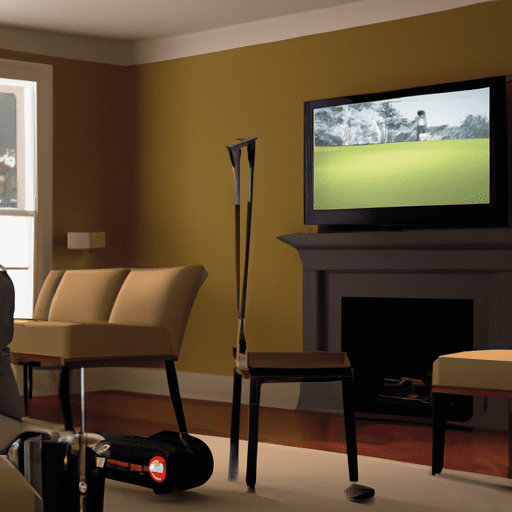
Golf simulators have revolutionized the golfing experience, providing enthusiasts with a realistic alternative to the traditional game. But have you ever wondered how these cutting-edge devices manage to replicate the true essence of playing golf? By utilizing advanced technology and innovative design, golf simulators effectively recreate the real golfing experience right in the comfort of your own home or indoor facility. This article explores the fascinating world of golf simulators, delving into the intricate process behind their ability to mimic the challenges, nuances, and sensations of a real golf course. So, whether you’re a seasoned golfer looking to fine-tune your skills or a beginner yearning to experience the thrill of the game, read on to uncover the secrets behind this remarkable technological feat.
Technology Used in Golf Simulators
Camera-Based Systems
Camera-based systems are an integral part of golf simulators, as they capture and analyze the golfer’s swing in real-time. The cameras track the movement of the club and the ball, providing accurate data on the speed, angle, and trajectory of the swing. This technology enables golfers to receive instant feedback on their technique and make necessary adjustments to improve their game. The multiple camera angles also allow players to see their swing from different perspectives, providing a comprehensive analysis of their performance.
Sensor-Based Systems
Sensor-based systems work in conjunction with camera-based systems to provide additional information on the golfer’s swing mechanics. These sensors are often placed on various parts of the golfer’s body and the club, capturing movement data and translating it into actionable feedback. The sensors can measure factors such as swing speed, clubhead path, and grip pressure, offering a comprehensive evaluation of the player’s technique. By combining data from the cameras and sensors, golf simulators can provide precise and accurate feedback to help players fine-tune their swing.
Projection Systems
Projection systems play a crucial role in the visual aspect of golf simulators. They use high-definition projectors to display interactive simulation software onto a large screen or a specially designed hitting mat. These systems create a lifelike representation of a golf course, allowing players to immerse themselves in a virtual environment. The projection systems accurately depict the terrain, hazards, and even weather effects, providing a realistic experience for golfers. With the advancements in projection technology, simulators can now offer stunning visuals, enhancing the overall immersion and enjoyment of the game.
Simulation of Golf Course
Course Database
To replicate the real golfing experience, golf simulators utilize a vast course database. This database contains detailed information about numerous golf courses from around the world. Each course is meticulously mapped and recreated in the simulator’s software, capturing its unique features, including fairways, bunkers, water hazards, and greens. The course database allows golfers to play on their favorite courses, experience new challenges, and explore different golfing destinations without leaving the comfort of their simulator.
Terrain Mapping
Terrain mapping is a key component in recreating the feel of an actual golf course. Advanced mapping technology allows simulators to accurately replicate the undulations and contours of the terrain on the virtual screen or hitting mat. This attention to detail enhances the realism of the simulation, making the player feel as if they are truly navigating through the course. Whether it’s a challenging uphill shot or a downhill putt, golfers can rely on the simulator to faithfully recreate the unique characteristics of each hole.
Weather Effects
Weather effects add another layer of realism to golf simulators by simulating the unpredictable conditions that can affect a golf game. Simulators can replicate various weather conditions such as wind, rain, and even snow. These effects not only provide a more immersive experience but also impact the flight and behavior of the virtual golf ball. Golfers will need to adapt their strategy and club selection accordingly, just as they would in an actual round of golf. This feature adds excitement and unpredictability to the game, making the simulator experience more engaging and challenging.
Recreating Golf Swing
Swing Analyzer
Swing analyzers are essential tools in golf simulators to assess and improve a golfer’s swing mechanics. These devices use advanced algorithms and motion tracking technology to analyze the golfer’s swing in real-time, providing precise data on swing speed, swing path, angle of attack, and more. The swing analyzer identifies areas for improvement and offers instant feedback, allowing golfers to make necessary adjustments to their technique. By consistently utilizing the swing analyzer, players can develop a more efficient and consistent swing, leading to improved performance on the virtual course and in real-world play.
Force Plates
Force plates play a crucial role in measuring weight transfer and balance during a golfer’s swing. These plates are embedded in the simulator’s floor or hitting mat and provide data on the golfer’s weight distribution and the forces exerted during the swing. By analyzing this information, golfers can identify areas of imbalance and work on improving their stability and power transfer. The force plates help simulate the sensation of hitting a real golf ball, ensuring that the player’s weight shift and balance are aligned with a proper swing technique.
Haptic Feedback
Haptic feedback technology enhances the tactile experience of golf simulators by providing physical sensations and vibrations to emulate real-world interactions. By incorporating haptic feedback into the simulator’s setup, golfers can feel the impact of their swing and the contact with the virtual golf ball. This tactile feedback helps bridge the gap between the digital and physical realms, improving the player’s sense of immersion and providing valuable sensory cues for swing improvement. Haptic feedback can simulate the feel of a well-struck shot or the resistance of a sand trap, elevating the realism of the golfing experience.
Realistic Ball Flight
Launch Monitor
A launch monitor is a crucial component in golf simulators as it accurately measures and predicts the behavior of the virtual golf ball. This device uses advanced sensor technology to collect data on factors such as ball speed, launch angle, and spin rate. The launch monitor then calculates the trajectory and flight path of the virtual ball, ensuring that it behaves realistically within the simulated environment. Golfers can rely on the launch monitor’s feedback to gauge the effectiveness of their shots, adjust their strategy, and improve their overall performance.
Spin Detection
Spin detection technology measures the amount of spin the golf ball generates during flight. It provides data on backspin and sidespin, which directly influence the ball’s trajectory, distance, and behavior upon impact. Accurate spin detection allows golfers to understand how their swing and clubface impact the ball, enabling them to make necessary adjustments to optimize their shots. By replicating the spin characteristics of real golf balls, simulators ensure a lifelike ball flight that mimics the challenges faced on actual golf courses.
Wind Effects
Wind is a significant factor in outdoor golf, and golf simulators strive to replicate its impact on the game. Simulators can simulate wind effects, creating gusts of wind that affect the flight and direction of the virtual golf ball. By encountering virtual wind conditions, golfers must adjust their shot strategy, club selection, and shot shaping to compensate for the wind’s influence. This feature challenges golfers to develop a better understanding of how wind impacts their shots and improves their ability to adapt to varying course conditions.
Visual and Audio Feedback
High-Resolution Screens
High-resolution screens are essential for providing a visually immersive experience in golf simulators. These screens display the simulation software with stunning clarity, allowing golfers to see every detail of the virtual course. Each blade of grass, sand trap, and tree is faithfully represented on the screen, enhancing the player’s sense of realism and immersion. The high resolution ensures that the golfer can accurately assess the layout, depth perception, and distances within the simulation, promoting better decision-making and shot execution.
Virtual Environments
Virtual environments created by golf simulators transport players into different golfing destinations worldwide. Whether it’s iconic courses or hidden gems, the virtual environments provide a visually accurate representation of the chosen course. Golf simulators can recreate the look and feel of various landscapes, from lush fairways to rugged terrains, immersing the player in a realistic golfing experience. The attention to detail in the virtual environments contributes to the overall authenticity of the simulation, making it feel as if the golfer is playing a real round of golf.
Surround Sound
Surround sound technology enhances the audio aspect of golf simulators, contributing to a more immersive experience. By positioning speakers strategically, simulators can create a realistic soundscape that complements the visual simulation. Golfers can hear the sound of their club striking the virtual ball, the rush of wind, or the distant applause of an audience, adding another layer of realism to the game. Surround sound immerses players in the virtual environment, making the simulation more engaging and providing valuable auditory cues for swing analysis and shot execution.
Adjusting Difficulty Levels
Wind Speed and Direction
The ability to adjust wind speed and direction in golf simulators offers players the opportunity to challenge themselves and replicate the unpredictability of real-world golf conditions. By increasing or decreasing wind speed and adjusting its direction, golfers can fine-tune their ability to gauge the wind’s impact on their shots. Practicing in varying wind conditions helps golfers develop a better understanding of how wind affects ball flight and adjust their shots accordingly, preparing them for the challenges of outdoor play.
Course Conditions
Golf simulators allow players to adjust course conditions to match their preferences or challenge themselves further. By changing factors such as the firmness of the fairways and greens or the speed of the putting surface, golfers can recreate specific playing conditions they want to practice in or simulate different course setups. This feature enables golfers to adapt their gameplay strategy and shot selection based on the current conditions, enhancing their ability to navigate a variety of golfing scenarios.
Variable Hazards
Variable hazards in golf simulators replicate the challenges posed by water hazards, sand traps, trees, and other obstacles found on real golf courses. Golfers can choose the frequency, positioning, and severity of these hazards to create varying degrees of difficulty. Incorporating hazards into simulations helps players develop decision-making skills and shot-making abilities under pressure. By adjusting the difficulty levels according to their skill level or desire for a challenge, golfers can continuously improve their game and prepare for different playing conditions.
Multiplayer and Competition
Online Play
Golf simulators offer online play capabilities, allowing golfers to connect with friends, family, or even strangers from around the world to compete in virtual golf games. Online play provides the opportunity to experience multiplayer golfing without the limitations of physical distance. Players can challenge each other to rounds of golf, participate in tournaments, or simply enjoy a friendly game together. Online play fosters a sense of community and friendly competition, bringing people together in a shared virtual golfing experience.
Tournaments and Leagues
Golf simulators often host tournaments and leagues within their software, providing a competitive platform for golfers to showcase their skills. Players can participate in virtual tournaments against other simulator users, either locally or globally, competing for prizes or recognition. Leagues offer a more structured and ongoing competitive experience, allowing golfers to progress through a series of matches against opponents of similar skill levels. Tournaments and leagues in golf simulators create a sense of camaraderie among players and motivate them to sharpen their skills for future competitions.
Leaderboards
Leaderboards provide a way for golfers to track their progress and compare their performance with other participants. Golf simulators display leaderboard rankings based on factors such as score, handicap, or average driving distance. Players can see their position among their peers, driving them to improve their game and climb the rankings. Leaderboards add an element of healthy competition, encouraging golfers to strive for excellence and achieve personal bests. They also foster a sense of community by allowing golfers to connect with others who share their passion for the game.
Customization and Personalization
Club Selection
Golf simulators offer a wide selection of virtual golf clubs that players can choose from based on their preferences and playing style. Players can select different types of drivers, irons, wedges, and putters, each with their own characteristics and performance attributes. The ability to customize club selection allows golfers to experiment with different clubs, find their optimal equipment setup, and determine which clubs work best for their swing. This customization feature enhances the player’s ability to adapt to different course conditions and strategize their gameplay accordingly.
Player Customization
Golf simulators allow players to create their virtual golfer persona, complete with customizable appearance and attributes. Players can personalize details such as gender, clothing, height, and build, creating a unique representation of themselves in the simulation. This customization feature adds a personal touch to the golfing experience, allowing players to feel more connected to their virtual golfer and enhancing their sense of immersion. Personalization options also extend to swing animations and pre-shot routines, enabling players to develop their own signature golfing style within the simulation.
Game Modes
Golf simulators offer various game modes to cater to different preferences and skill levels. From casual practice sessions and friendly matches to challenging tournaments and virtual golf tours, players have a range of options to choose from. Game modes can include target-based challenges, skill-based mini-games, or even fantasy scenarios that add a unique twist to the traditional golfing experience. This variety of game modes ensures that players can always find something that suits their mood and provides an enjoyable and engaging golfing experience.
Training and Analysis Tools
Shot Analysis
Shot analysis tools in golf simulators provide in-depth information on each shot, helping players analyze their performance and identify areas for improvement. These tools capture and display data such as shot distance, ball speed, launch angle, and clubhead speed. By reviewing this information, players can evaluate their shot execution and make necessary adjustments to their technique. Shot analysis tools contribute to the development of a more consistent and effective swing, as golfers can track their progress and monitor improvements over time.
Swing Improvement
Swing improvement tools available in golf simulators offer targeted feedback on specific aspects of the golfer’s swing. These tools can highlight swing flaws, such as over-the-top movements, early release, or incorrect weight transfer, providing visual cues and suggestions for improvement. By focusing on specific swing elements, players can address weaknesses and work on developing a more efficient and repeatable swing. The instant feedback and guidance from swing improvement tools facilitate skill development and enable golfers to make tangible progress in their game.
Practice Routines
Golf simulators provide pre-designed practice routines and drills to help players refine their skills and develop consistency. These routines offer structured practice sessions that focus on specific aspects of the game, such as driving accuracy, approach shots, or putting. They guide golfers through a series of shots and provide feedback on each repetition, allowing players to fine-tune their technique and build muscle memory. Practice routines in golf simulators provide a purposeful and efficient way to maximize practice time and achieve optimal results.
Benefits and Advantages
Year-Round Accessibility
One of the primary benefits of golf simulators is their year-round accessibility. Regardless of weather conditions or time of day, golfers can enjoy a round of golf in the comfort of their own home or indoor facility. Golf simulators eliminate the limitations imposed by seasons and allow players to maintain their golfing routine all year long. This accessibility is particularly beneficial for golfers in regions with harsh winters or limited access to golf courses, ensuring that they can continue practicing, improving their skills, and staying connected to the game they love.
Improved Performance
Golf simulators offer a range of tools and feedback mechanisms that contribute to improved performance on the virtual course and in real-world play. Through the analysis of swing mechanics, shot data, and consistent practice routines, players can identify areas for improvement and make necessary adjustments to their technique. By honing their skills in the simulator, golfers can develop a more consistent swing, better strategy, and increased confidence. These improvements translate to enhanced performance when playing on outdoor golf courses, boosting the overall enjoyment and satisfaction of the game.
Cost Savings
Golf simulators provide a cost-effective alternative to playing on actual golf courses. While the initial investment in a simulator setup may seem significant, the long-term savings can be substantial. Golfers can save on green fees, driving range fees, and travel expenses associated with playing traditional golf. The convenience of practicing at home also eliminates the need for a membership at a golf club or driving to distant golfing facilities. In the long run, golf simulators offer a more affordable option for golf enthusiasts to practice, improve their skills, and enjoy the game without breaking the bank.
In conclusion, golf simulators have revolutionized the way golf is played and practiced. By utilizing a range of cutting-edge technologies, these simulators can replicate the real golfing experience with impressive accuracy. From camera-based systems to accurate ball flight simulation, golfers can enjoy the game in a virtual environment that offers feedback, customization, and multiplayer capabilities. With the many benefits they offer, including year-round accessibility, improved performance, and cost savings, golf simulators have become an invaluable tool for golfers of all levels.