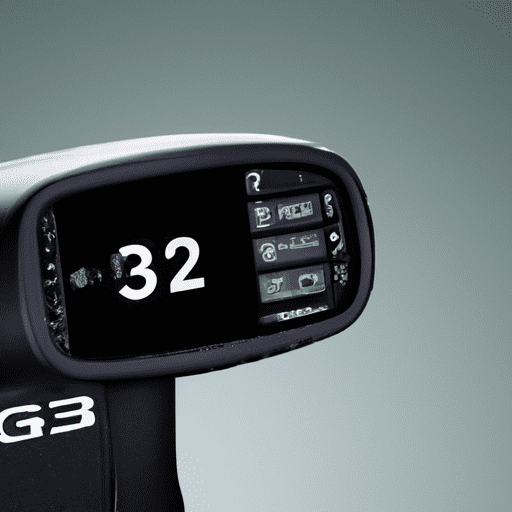
Imagine turning any room in your home into a golfer’s paradise – a space that not only allows you to practice your swing but also transports you to world-renowned golf courses. With “A Golfer’s Sanctuary: Transforming Spaces With Golf Simulator Technology,” you can transform your living room, basement, or even your garage into a state-of-the-art golf simulator. No longer confined to the green, this innovative technology enables you to experience the thrill of the fairway from the comfort of your own home. Discover how this game-changing product is revolutionizing how golfers practice and play, all while providing a sanctuary of relaxation and entertainment at your fingertips.
Creating the Perfect Golfing Environment
The Rise of Golf Simulator Technology
In recent years, golf simulator technology has seen a rise in popularity among golf enthusiasts. These innovative systems allow golfers to enjoy the game of golf in the comfort of their own homes or other indoor spaces. The convenience and versatility of golf simulators have made them an attractive option for those looking to improve their golf game or simply enjoy a round of golf at any time. With realistic graphics, accurate ball tracking, and customizable settings, golf simulator technology has revolutionized the way golfers practice and play the game.
Benefits of Golf Simulator Technology
Golf simulator technology offers numerous benefits that enhance the overall golfing experience. Firstly, it provides golfers with the opportunity to practice their swing and improve their skills in a controlled and comfortable environment. Whether it’s raining, snowing, or too hot outside, golf simulators allow players to practice their game anytime, regardless of the weather conditions. Additionally, golf simulator technology provides valuable data and analysis on swing mechanics, ball flight, and club impact, enabling golfers to identify areas for improvement and track their progress over time. This analytical feedback helps golfers refine their technique and adjust their swing to achieve more consistent and accurate results on the course.
Choosing the Right Space
Before setting up a golf simulator, it is important to choose the right space where it will be installed. Ideally, the area should have enough room for a full swing, allowing players to take a complete swing without any restrictions. A ceiling height of at least 10 feet is recommended to accommodate both driver shots and higher ball flights. It is also important to consider the flooring, ensuring it can handle the constant foot traffic and the impact of golf swings. Additionally, proper lighting is essential for optimal visibility of the golf simulator screen and projection. Choosing a space with natural light or adding appropriate lighting fixtures can significantly enhance the overall golfing experience.
Setting Up the Simulator
Once the space is selected, it’s time to set up the golf simulator. The essential components of a golf simulator include a projector and screen, golf simulator software, a launch monitor, a golf mat, netting or enclosure, and an audio system. The projector and screen display the virtual golf courses and graphics, providing a realistic and immersive experience. High-quality golf simulator software offers a wide range of virtual courses and gameplay options to suit different skill levels and preferences. The launch monitor measures important data such as ball speed, launch angle, and spin rate, providing valuable feedback on swing performance. The golf mat provides a realistic hitting surface, while netting or an enclosure ensures safety by containing any errant shots. Lastly, an audio system can enhance the ambiance by playing background music or providing sound effects during gameplay.
Enhancing the Ambiance
Creating a relaxing and enjoyable atmosphere is crucial for a perfect golfing environment. Choosing the right colors and lighting can play a significant role in setting the mood. Soft, neutral tones can create a calming and tranquil space, while strategic lighting can highlight certain areas and add depth to the room. Installing dimmable lights can provide flexibility in adjusting the ambiance based on personal preferences. To further enhance the overall experience, consider creating a comfortable seating area where players can relax in between shots or invite friends to join in the fun. Incorporating indoor plants can also add a natural element to the space, creating a refreshing and rejuvenating atmosphere. Additionally, installing ambient sound systems can complete the immersive experience, providing relaxing or energizing background sounds to transport players to their favorite golf destinations.
The Essential Components of a Golf Simulator
Projector and Screen
The projector and screen are crucial components of a golf simulator as they bring the virtual golf courses and graphics to life. High-quality projectors with a high resolution and brightness ensure sharp and clear visuals, allowing golfers to fully immerse themselves in the virtual environment. The screen should be large enough to provide a realistic view of the course and easily visible from various angles. Both the projector and screen should be positioned in a way that minimizes glare and provides optimal viewing for players.
Golf Simulator Software
Golf simulator software is the heart of the system, providing a virtual golfing experience with realistic graphics, accurate physics, and a wide variety of courses to choose from. The software should offer different game modes and practice options to suit all skill levels, from casual players to experienced golfers. It should also provide extensive data and analysis on swing mechanics, ball flight, and club performance, enabling players to track their progress and make necessary adjustments to improve their game. Upgradable software is also essential to ensure access to the latest features and courses as they become available.
Launch Monitor
The launch monitor is a key component of a golf simulator as it measures important data about the golfer’s swing and ball flight. It accurately tracks the ball’s speed, launch angle, spin rate, and other relevant metrics, providing valuable feedback on swing performance. This data allows golfers to analyze their swings, identify areas for improvement, and make necessary adjustments to achieve better results. The launch monitor should be positioned correctly to capture accurate data, and it should be compatible with the golf simulator software to ensure seamless integration and accurate feedback.
Golf Mat
A high-quality golf mat is essential for a golf simulator setup, as it provides a realistic hitting surface and helps prevent damage to both the club and flooring. The mat should offer adequate cushioning to absorb the impact of the club and provide a realistic feel when swinging. It should also be durable and resistant to wear and tear, as constant use can cause the mat to deteriorate over time. In addition, a mat with adjustable tees allows golfers to practice various shots and accommodate different club heights.
Netting and Enclosure
To ensure safety and protect the surrounding area from errant shots, netting or an enclosure is required for a golf simulator setup. This component helps contain the golf balls and prevents them from causing damage to walls, windows, or nearby objects. The netting should be strong and durable to withstand high-speed shots, and it should be securely fastened to provide a reliable barrier. An enclosure can create a more immersive experience by enclosing the playing area, further enhancing the virtual golfing environment.
Audio System
An audio system can greatly enhance the overall golfing experience by providing background music or adding sound effects during gameplay. Soft, relaxing music can create a calming and enjoyable atmosphere, while upbeat tunes can energize the players. Sound effects, such as the sound of a club hitting the ball or the applause of a virtual crowd, can further immerse players in the virtual environment. The audio system should be positioned strategically and offer high-quality sound to complement the visuals and create a fully immersive experience.
Top Golf Simulator Technologies in the Market
SkyTrak Golf Simulator
SkyTrak Golf Simulator is a top-of-the-line technology that offers realistic and accurate gameplay. It utilizes high-speed cameras and advanced sensors to track the ball flight, providing precise data on distance, spin, and launch angle. The SkyTrak simulator is also known for its realistic graphics and extensive course library, offering players a wide variety of virtual courses to choose from. With its user-friendly interface and comprehensive analysis tools, SkyTrak is a popular choice among golfers of all skill levels.
Full Swing Golf Simulator
Full Swing Golf Simulator is another renowned technology that offers an immersive golfing experience. It features high-speed camera technology and advanced tracking systems to provide accurate ball flight data. The Full Swing simulator offers lifelike graphics with realistic environments, enabling players to feel as if they are playing on actual golf courses. With customizable settings and a wide range of gameplay options, Full Swing Golf Simulator is highly regarded for its realism and versatility.
Trackman Golf Simulator
Trackman Golf Simulator is a state-of-the-art technology that utilizes dual radar technology for unmatched accuracy and precision. It tracks every aspect of the golf ball’s flight, including distance, trajectory, and spin rate, providing golfers with highly detailed data on their shots. The Trackman simulator offers realistic graphics and a vast selection of virtual courses, allowing players to experience the game in a lifelike setting. It is widely recognized for its reliability and accuracy, making it a popular choice among professional golfers and golf instructors.
OptiShot Golf Simulator
OptiShot Golf Simulator is a budget-friendly option that offers a great golfing experience. It uses infrared sensors to accurately track the clubhead and simulate ball flight. While not as advanced as some of the high-end simulators, OptiShot provides realistic graphics and a variety of virtual courses to choose from. It is easy to set up and offers multiplayer options, allowing players to compete with friends or participate in online tournaments. OptiShot Golf Simulator is a popular choice for casual golfers and those looking for an affordable home setup.
Foresight Sports GC2 Simulator
Foresight Sports GC2 Simulator is a highly accurate technology that uses camera-based tracking to measure the club and ball data. It offers exceptional accuracy and reliability, allowing golfers to fine-tune their swing and improve their performance. The GC2 simulator provides realistic graphics and a wide selection of virtual courses, bringing an authentic golfing experience to any indoor space. Its advanced analysis tools and customizable settings make it a favorite among professional golfers and teaching professionals.
Designing a Rejuvenating Golf Oasis
Choosing the Right Colors and Lighting
Choosing the right colors and lighting can significantly impact the overall ambiance of a golf simulator space. Soft, neutral colors such as light gray or beige can create a calming and relaxed atmosphere, reminiscent of a professional golf club. These colors also provide a neutral backdrop for the virtual courses, ensuring the visual focus remains on the screen. Accent colors such as earth tones or shades of green can add a touch of vibrancy and connection to the game of golf. Additionally, proper lighting is crucial to ensure visibility of the screen and projection. Natural light from windows or artificial lighting with adjustable brightness can create an ideal viewing environment, allowing players to fully immerse themselves in the virtual golfing experience.
Creating a Relaxing Seating Area
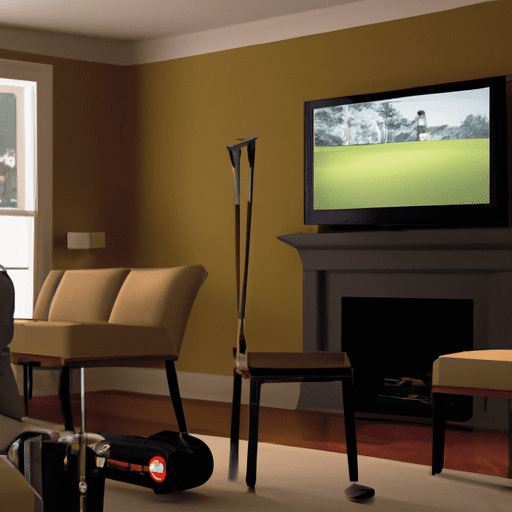
Incorporating a comfortable seating area within the golf simulator space is essential for creating a relaxing environment. After taking shots or during breaks between rounds, players may want to rest and recharge. Plush sofas or recliners with soft cushions can provide the perfect spot to relax and unwind. Additionally, adding side tables with storage compartments can accommodate refreshments or golf accessories, ensuring everything is easily accessible. A coffee table in the center of the seating area can provide a convenient surface for players to place drinks or snacks. By creating a comfortable seating area, players can fully enjoy their golfing oasis and take breaks in between shots without having to leave the space.
Incorporating Indoor Plants
Indoor plants can add a refreshing touch to the golf simulator space, creating a connection to nature and enhancing the overall ambiance. Plants not only provide a visual appeal but also contribute to improved air quality by reducing carbon dioxide levels and increasing oxygen levels. Incorporating plants such as palm trees, ferns, or succulents can transform the space into a lush and rejuvenating environment. Hanging planters or floor pots can be strategically placed around the room to maximize the green impact. Additionally, plants with a natural fragrance, such as lavender or eucalyptus, can further enhance the sensory experience and create a more serene atmosphere.
Installing Ambient Sound Systems
An ambient sound system can greatly enhance the overall golfing experience by providing soothing background music or natural soundscapes. Soft instrumental music or gentle nature sounds, such as the sound of waves or chirping birds, can create a calming and immersive atmosphere. The audio system should be strategically positioned to ensure an even distribution of sound throughout the space. Wireless speakers or hidden audio setups can minimize clutter and maintain a clean and organized look. By installing an ambient sound system, players can close their eyes and feel transported to their favorite golf destinations, providing a truly rejuvenating experience.
Adding Personal Touches
Adding personal touches to the golf simulator space can make it feel unique and tailored to individual preferences. Displaying personal golf memorabilia, such as trophies, autographed pictures of favorite golfers, or framed scorecards, can create a sense of connection and motivation. Hanging artwork or photographs of scenic golf courses can also enhance the visual appeal and add a touch of inspiration. Personalizing the space with golf-themed decor, such as golf ball-shaped lamps or golf club wall hooks, can further reinforce the golfing oasis atmosphere. By adding personal touches, players can truly make the space their own and create a sanctuary that reflects their passion for the game.
Maximizing Training Potential
Utilizing Analytical Tools
One of the key benefits of a golf simulator is the access to detailed data and analysis on swing mechanics and ball flight. Utilizing the analytical tools provided by the golf simulator software can greatly enhance training potential. These tools allow players to review their swings in slow motion, analyze key swing metrics, and compare their swings to those of professional golfers. By utilizing these analytical tools, players can identify areas for improvement, make necessary adjustments to their technique, and track their progress over time.
Tracking Swing Data
Golf simulators offer the ability to track and record swing data, providing valuable insights into swing speed, club path, impact angle, and other key parameters. By tracking swing data, players can identify any inconsistencies or inefficiencies in their swing, allowing them to refine their technique and improve their performance. Golf simulators often provide visualizations of the swing data, such as clubhead path and face angle at impact, which can aid in understanding swing mechanics and identifying areas for improvement.
Simulated Course Conditions
Golf simulators offer the unique opportunity to practice in various simulated course conditions, providing a realistic and challenging training environment. Players can choose to play on famous golf courses from around the world, adjusting the difficulty level based on their skill level. The ability to practice on courses with different terrains, wind conditions, and hazards allows players to sharpen their skills and adapt to different playing conditions. By practicing in simulated course conditions, players can improve their shot accuracy, strategy, and decision-making skills.
Virtual Coach and Training Programs
Many golf simulators offer virtual coaching and training programs that provide personalized instruction and guidance. These programs often include pre-loaded training exercises, practice drills, and lessons from professional golf instructors. Virtual coaching can help players understand their swing mechanics, provide tips for improvement, and guide them towards more efficient and consistent swings. With the guidance and feedback from virtual coaches, players can structure their training sessions and focus on specific areas for improvement.
Benefits of a Home Golf Simulator
Accessible Practice Anytime
One of the greatest advantages of a home golf simulator is the ability to practice anytime, regardless of weather conditions or daylight. With a home setup, golfers can simply step into their simulator room whenever they have free time and begin practicing their swing. Whether it’s early morning, late at night, or during inclement weather, a home golf simulator provides convenient and accessible practice opportunities that fit into busy schedules.
Avoiding Weather Limitations
Weather conditions can often interfere with outdoor practice sessions or rounds of golf. Rain, wind, extreme temperatures, or darkness can limit the time available for golfing. With a home golf simulator, these weather limitations become irrelevant. Golfers can enjoy the game and practice their skills without worrying about the weather outside. Rain or shine, a home golf simulator ensures continuous access to the game regardless of the conditions.
Cost Efficiency
While having a golf simulator setup at home requires an initial investment, it can ultimately save money in the long run. Golf simulators eliminate the need for frequent visits to golf courses or driving ranges, which often come with associated costs such as green fees or bucket charges. By practicing at home, golfers can save money on course fees and transportation expenses. Furthermore, the ability to play virtual courses on a golf simulator provides variety and eliminates the need for costly travel to play different courses.
Privacy and Convenience
A home golf simulator offers the privacy and convenience of practicing in the comfort of one’s own space. Golfers can avoid crowded driving ranges or public golf courses, allowing them to focus solely on their game without distractions. The convenience of having a golf simulator at home means that golfers can practice at any time that suits them, without having to adhere to the operating hours of golf facilities. This level of privacy and convenience enhances the overall golfing experience and allows for more effective and personalized practice sessions.
Entertainment and Socialization
A home golf simulator can become a center of entertainment and socialization. Whether it’s inviting friends over for a friendly competition, organizing virtual golf tournaments, or enjoying a game with family members, a golf simulator provides an engaging and enjoyable activity for all. Golf simulators often include multiplayer options, allowing players to compete with others locally or even participate in online tournaments. The possibility of interactive and social golfing experiences adds a unique dimension to the home environment and creates lasting memories.
Creating a Business Opportunity
Golf Simulator Lounges and Bars
Golf simulator lounges and bars are gaining popularity as a unique entertainment concept. These establishments provide a social and interactive environment where individuals or groups can enjoy virtual golfing experiences while also enjoying food and beverages. Golf simulator lounges often have a wide selection of virtual courses, multiplayer options, and high-quality simulators to provide an authentic experience. Additionally, hosting tournaments and events can attract both avid golfers and those looking for a fun and engaging activity, making golf simulator lounges and bars a profitable business opportunity.
Incorporating Golf Simulators in Sports Clubs
Sports clubs, golf clubs, and fitness centers are increasingly incorporating golf simulators into their facilities, offering members additional amenities and training options. By providing golf simulator access, these establishments cater to the needs and interests of their members, further enhancing the overall experience. Golf simulator rooms within sports clubs can be transformed into a golf oasis, complete with comfortable seating, personalized ambiance, and additional services such as coaching or specialized training programs. The inclusion of golf simulators in sports clubs can attract golf enthusiasts, expand membership, and provide an additional revenue stream.
Golf Simulator Rentals
Renting out golf simulator setups can be a lucrative business opportunity, appealing to golfers who do not have the space or resources to set up their own simulator at home. Golf simulator rentals can be offered on an hourly basis, providing golfers with the opportunity to practice their swing or enjoy a virtual round of golf without the commitment of ownership. This business model allows for flexibility and accessibility, as rental locations can be set up in various venues such as sports facilities, entertainment centers, or even mobile units for special events. By offering golf simulator rentals, entrepreneurs can tap into the growing demand for golf simulator technology and provide a valuable service to the golfing community.
Golf Simulator Training Centers
Golf simulator training centers cater to golfers looking to improve their skills, receive professional coaching, or participate in training programs. These centers often feature state-of-the-art simulators, specialized coaching staff, and comprehensive training routines. Golf simulator training centers can provide a controlled and controlled environment, offering players the opportunity to work on specific aspects of their game, such as putting, driving, or course strategy. By combining the benefits of golf simulator technology with professional instruction, training centers can attract golfers of all skill levels, from beginners looking to learn the basics to seasoned players aiming to refine their technique.
Maintenance and Upkeep
Regular Equipment Cleaning
Regular equipment cleaning is crucial to maintain the performance and longevity of a golf simulator setup. Dust and dirt can accumulate on the projector, screen, launch monitor, and other components, affecting their functionality. It is essential to follow the manufacturer’s guidelines for cleaning and maintenance to prevent any damage or degradation of the equipment. Soft, lint-free cloths and non-abrasive cleaning solutions should be used to gently clean the surfaces. Additionally, regularly checking and cleaning the golf mat, netting, and enclosure can ensure optimal playing conditions and prevent any safety hazards.
Software Updates
To ensure the best performance and access to the latest features and improvements, regular software updates are necessary for golf simulators. Golf simulator software developers often release updates that address bugs, enhance visual quality, and introduce new courses or gameplay options. Keeping the software up to date ensures compatibility with the latest hardware and operating systems, and it allows players to take advantage of any advancements in technology. Checking for and applying software updates regularly helps maintain the functionality and longevity of the golf simulator system.
Checking for Wear and Tear
Regularly checking for wear and tear is important to ensure the safety and proper functioning of the golf simulator setup. Components such as the golf mat, netting, enclosure, and audio system should be inspected for any signs of damage or deterioration. This includes checking for tears, fraying, loose connections, or any other issues that may compromise the integrity of the equipment. Addressing any wear and tear promptly can prevent further damage or safety hazards, ensuring a smooth and enjoyable golfing experience.
Upgrading Technology
As technology evolves, upgrading the golf simulator setup can be beneficial to take advantage of new features and advancements. Upgrading the projector or screen to a higher resolution or brightness can enhance the visual experience and provide more realistic graphics. Similarly, upgrading the launch monitor to a more advanced model can offer more accurate ball tracking and advanced swing analysis capabilities. Upgrading the audio system to higher quality speakers or adding surround sound can further enhance the immersive experience. Regularly evaluating the technology and considering upgrades can ensure that the golf simulator remains up to date and continues to provide an optimal golfing environment.
Tips for a Successful Golf Simulator Experience
Proper Warm-Up and Stretching
Before starting a golf simulator session, it is important to warm up and stretch to prepare the body for the physical demands of swinging a golf club. Performing light cardio exercises, such as jogging or cycling, can help increase circulation and warm up the muscles. Dynamic stretches, such as arm circles and torso rotations, can improve flexibility and range of motion. Additionally, performing specific golf-related stretches, such as shoulder stretches and torso twists, can target the muscles used in the golf swing. This warm-up routine can help prevent injuries and improve overall performance during the simulator session.
Adjusting to the Indoor Environment
Playing golf indoors on a simulator can feel different from playing on an actual golf course. The lack of natural elements, such as wind or uneven terrain, can impact the feel and performance of shots. It is important to adjust to the indoor environment by taking into account the absence of these external factors. This may involve making slight adjustments to swing technique or club selection. By practicing on the golf simulator regularly and becoming accustomed to the indoor environment, players can adapt their gameplay and maximize their performance.
Staying Engaged and Focused
When playing on a golf simulator, it is crucial to stay engaged and focused throughout the session. Unlike playing on an actual course, distractions in the form of other players, noise, or visual stimuli are minimized in a simulator environment. However, it is still important to maintain focus and concentrate on each shot. Visualize the shot before swinging, mentally go through the proper technique, and maintain concentration throughout the swing. By staying engaged and focused, players can ensure consistent performance and make the most out of each simulator session.
Challenging Yourself with Various Courses
One of the advantages of a golf simulator is the ability to play on various courses from around the world. To make the most out of the simulator experience, challenge yourself by trying out different courses with varying difficulty levels. Playing on courses with different terrains, hazards, and playing conditions can help develop adaptability and improve overall skills. By continuously challenging yourself with new courses, you can keep the simulator experience fresh and exciting while also refining different aspects of your game.
Seeking Professional Guidance
Professional guidance and instruction can greatly enhance the golf simulator experience and improve overall performance. Golf instructors or coaches can provide valuable feedback on swing mechanics, offer personalized tips for improvement, and guide players towards more efficient and effective swings. Seeking professional guidance can accelerate skill development and ensure proper technique, leading to better results on the simulator and on the golf course. Whether through private lessons or virtual coaching options, incorporating expert guidance into your golf simulator practice can be a game-changer in achieving your golfing goals.
Conclusion
With the rise of golf simulator technology, creating the perfect golfing environment has become more accessible than ever before. Golf simulators offer a wide range of benefits, from convenient practice opportunities to realistic gameplay experiences. By choosing the right space, setting up the essential components, and enhancing the ambiance, golfers can transform any indoor area into a rejuvenating golf oasis. Designing a golf simulator setup involves careful consideration of colors, lighting, seating, and other elements that contribute to the overall atmosphere. Maximizing the training potential of a golf simulator involves utilizing analytical tools, tracking swing data, practicing in simulated course conditions, and taking advantage of virtual coaching programs. Apart from personal use, golf simulator technology also presents business opportunities such as golf simulator lounges, incorporating simulators in sports clubs, rentals, and training centers. Regular maintenance and upkeep are essential for the longevity of the golf simulator setup, and following tips for a successful golf simulator experience can enhance performance and enjoyment. With the multitude of benefits and possibilities that golf simulator technology offers, creating a perfect golfing environment has never been easier.